NEST Ops Runbook
Internal operations dashboard for the Phenom platform, running as a Ghost Mode container on AWS ECS Fargate behind an Application Load Balancer.
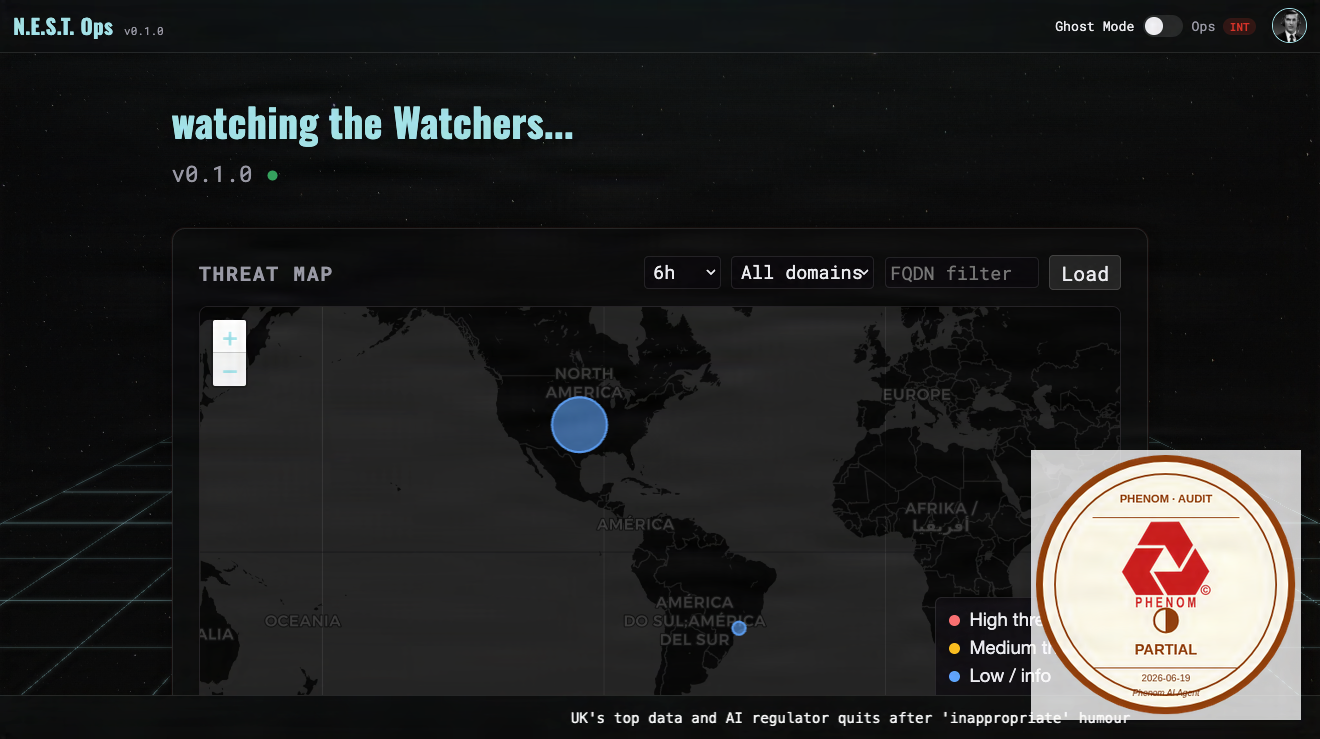
Source:
curl https://nest-ops.thephenom.app → HTTP 302 to Cognito auth (ALB + Cognito integration confirmed); ECS internals untestable from outside VPC
C2PA signed · SanMarcSoft AI content credential
What it is
nest-ops.thephenom.app is the internal operations and monitoring dashboard for the Phenom platform. It runs as the ghost-mode container on the phenom-dev-cluster ECS Fargate cluster, exposed on port 3200, and fronted by the phenom-dev-alb Application Load Balancer. Cloudflare proxies the domain. Access is restricted to authorized operators.
Deployment chain
| Layer | Value |
|---|---|
| URL | https://nest-ops.thephenom.app |
| DNS | Cloudflare (proxied, orange-cloud) |
| Auth gate | N.E.S.T. Ops terminal login (app-level, since 2026-07-05) — ghost-mode verifies the Cognito ID token server-side (cognito_auth.py: JWKS + issuer + audience + nest-access group) and mints an HttpOnly nestops_session cookie via /auth/session. Unauthenticated browser requests 302 to /login; APIs get 401. This replaced the ALB authenticate-cognito hosted-UI redirect (ALB rule 104 flipped to plain forward). |
| Cloudflare → | phenom-dev-alb (AWS ALB, us-east-1) |
| ALB listener | Cognito authenticator action before forwarding to ECS |
| ALB → | ECS Service on phenom-dev-cluster |
| Container | ghost-mode, port 3200 |
| Cluster | phenom-dev-cluster (AWS ECS Fargate) |
| Region | us-east-1 |
| AWS profile | phenom |
Terminal login migration — DONE (2026-07-05)
nest-ops now uses the same N.E.S.T. terminal login as nest, dev-nest, and analytics (email + passphrase, Apple, Google, and reset passphrase), instead of the Cognito hosted UI.
ghost-modeenforces auth itself:cognito_auth.pyverifies the Cognito ID token;/loginserves the terminal (ghostmode/static/login/nest-auth.js);/auth/sessionmints the HttpOnlynestops_sessioncookie; middleware accepts the cookie or the ALB header.- ALB listener rule 104 was flipped from
[authenticate-cognito, forward]toforward. Rules 101 (/metrics) and 103 (/api/canary-ingest) are unchanged. Group gate:nest-access. - Rollback: re-add the
authenticate-cognitoaction to rule 104 (the prior action set was backed up at flip time). - Follow-ups: passkey and federated (Apple/Google) parity — the vanilla login script lacks passkey, and federated needs the nest-ops callback URL on the SPA Cognito client. Email + passphrase and reset work today.
Redeploy the image
# build on ai (the Dockerfile lives on branch feature/1-monitor-glitchtip, not main):
#   git checkout origin/feature/1-monitor-glitchtip -- Dockerfile
#   docker buildx build --builder multiarch --platform linux/amd64 \
#     -t 657033058608.dkr.ecr.us-east-1.amazonaws.com/phenom-dev/nest-ops:<tag> --push .
# then roll ECS:
aws ecs update-service --cluster phenom-dev-cluster --service phenom-dev-nest-ops \
  --task-definition <new-revision> --profile phenom --region us-east-1
Common operations
Restart the ECS service (force new deployment)
aws ecs update-service \
  --cluster phenom-dev-cluster \
  --service ghost-mode \
  --force-new-deployment \
  --profile phenom \
  --region us-east-1
Check service status
aws ecs describe-services \
  --cluster phenom-dev-cluster \
  --services ghost-mode \
  --profile phenom \
  --region us-east-1 \
  --query 'services[0].{Status:status,Running:runningCount,Desired:desiredCount,LastEvent:events[0].message}'
View recent logs
# Find the log group
aws logs describe-log-groups \
  --log-group-name-prefix /ecs/ghost-mode \
  --profile phenom \
  --region us-east-1

# Tail recent log events
aws logs tail /ecs/ghost-mode \
  --follow \
  --profile phenom \
  --region us-east-1
Scale the service
# Scale to desired count (e.g. 2 tasks for redundancy)
aws ecs update-service \
  --cluster phenom-dev-cluster \
  --service ghost-mode \
  --desired-count 2 \
  --profile phenom \
  --region us-east-1
Deploy a new container image
# After pushing a new image to the registry, force ECS to pull it:
aws ecs update-service \
  --cluster phenom-dev-cluster \
  --service ghost-mode \
  --force-new-deployment \
  --profile phenom \
  --region us-east-1

# Wait for stabilization
aws ecs wait services-stable \
  --cluster phenom-dev-cluster \
  --services ghost-mode \
  --profile phenom \
  --region us-east-1
Verify it is working
curl -sI https://nest-ops.thephenom.app/ | grep -E "^HTTP|^location"
# Expected: HTTP/2 302, location: cognito-idp.us-east-1.amazonaws.com (confirms ALB + Cognito auth is active)
# A 200 requires a valid Cognito session cookie (log in via browser at the redirected URL)

# Check ALB target health
aws elbv2 describe-target-health \
  --target-group-arn $(aws elbv2 describe-target-groups \
    --query "TargetGroups[?contains(TargetGroupName,'ghost-mode')].TargetGroupArn" \
    --output text \
    --profile phenom \
    --region us-east-1) \
  --profile phenom \
  --region us-east-1
# Expected: all targets in "healthy" state
Common failure modes
| Symptom | Likely cause | Remediation |
|---|---|---|
| 502 / 503 from Cloudflare | ECS task not healthy or ALB target unhealthy | Check ECS service events; check ALB target health |
| ECS task keeps stopping | Container crashes on startup (OOM or startup error) | Check CloudWatch logs for the task; inspect task definition resource limits |
| 0 running tasks | Deployment failure or manual scale-down | Force new deployment; check ECS events for error messages |
| ALB returns 504 | Container slow to respond on port 3200 | Check CloudWatch logs; increase ALB idle timeout if needed |
| Cloudflare shows origin error | CF can’t reach ALB | Verify ALB security group allows Cloudflare IP ranges on port 80/443 |
Related
Feedback
Was this page helpful?
Glad to hear it! Please tell us how we can improve.
Sorry to hear that. Please tell us how we can improve.