Webmail Runbook
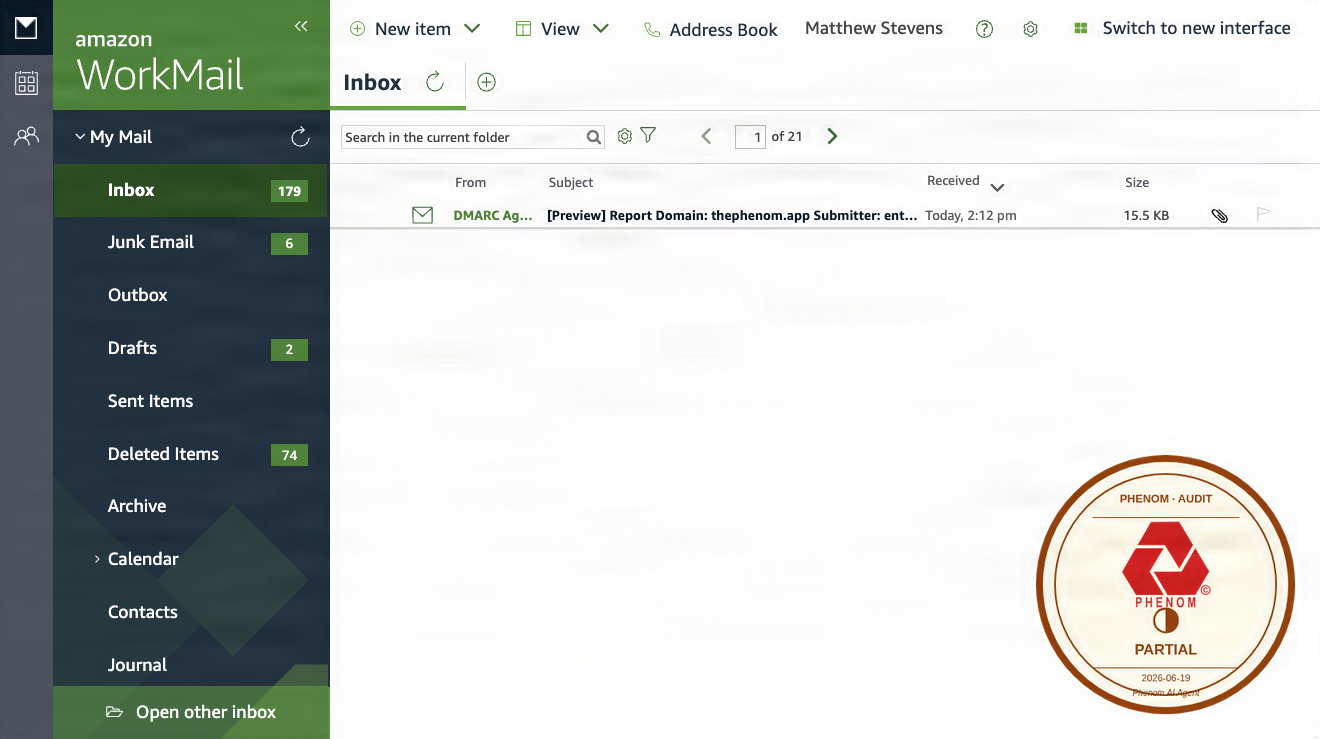
Source:
curl https://webmail.thephenom.app → HTTP 301 redirect to thephenom.awsapps.com/mail/ (AWS WorkMail confirmed)
C2PA signed · SanMarcSoft AI content credential
What it is
webmail.thephenom.app redirects to the AWS WorkMail SaaS webmail client at thephenom.awsapps.com/mail/, providing browser-based access to @thephenom.app email accounts. WorkMail is a fully managed AWS service; there is no self-hosted container to manage. Downtime of the redirect affects email access but not email delivery.
Deployment chain
| Layer | Value |
|---|---|
| URL | https://webmail.thephenom.app |
| DNS | Cloudflare (proxied, orange-cloud) |
| Redirect target | https://thephenom.awsapps.com/mail/ |
| Service | AWS WorkMail (managed SaaS, us-east-1) |
| Mail backend | AWS WorkMail IMAP/SMTP (imap.mail.us-east-1.awsapps.com) |
| Outbound mail | AWS WorkMail SMTP (not SES for WorkMail accounts) |
AWS WorkMail is fully managed. There are no containers, ECS tasks, or self-hosted services to restart. Operations are limited to the AWS WorkMail console or the AWS CLI
workmailservice.
Common operations
Access the WorkMail console
Navigate to AWS WorkMail console and select the thephenom organization in us-east-1.
List users in the WorkMail organization
# Find the organization ID first
aws workmail list-organizations \
  --profile phenom \
  --region us-east-1

# List users
aws workmail list-users \
  --organization-id <org-id> \
  --profile phenom \
  --region us-east-1
Reset a user’s email password
aws workmail reset-password \
  --organization-id <org-id> \
  --user-id <user-id> \
  --password <new-password> \
  --profile phenom \
  --region us-east-1
Check mail delivery (outbound)
WorkMail sends outbound mail through its own SMTP infrastructure (not SES). Check the WorkMail console message tracking for delivery status.
# Check for bounce/delivery events in the WorkMail message log
aws workmail get-mail-domain \
  --organization-id <org-id> \
  --domain-name thephenom.app \
  --profile phenom \
  --region us-east-1
Verify it is working
curl -sI https://webmail.thephenom.app/ | grep -E "^HTTP|^location"
# Expected: HTTP/2 301 redirect to thephenom.awsapps.com/mail/

# Confirm WorkMail endpoint is reachable
curl -sI https://thephenom.awsapps.com/mail/ | grep -E "^HTTP"
# Expected: HTTP/2 200
Common failure modes
| Symptom | Likely cause | Remediation |
|---|---|---|
| Redirect loop or 404 | Cloudflare redirect rule misconfigured | Check CF redirect rules for webmail.thephenom.app in the CF dashboard |
| Login page does not load | WorkMail service disruption (AWS) | Check AWS Service Health Dashboard for WorkMail in us-east-1 |
| Cannot send or receive email | WorkMail domain verification lapsed | Verify thephenom.app domain in the WorkMail console; check MX and DKIM records |
| User cannot log in | Password expired or account suspended | Reset password via AWS CLI (see above); check user status in WorkMail console |
Related
Feedback
Was this page helpful?
Glad to hear it! Please tell us how we can improve.
Sorry to hear that. Please tell us how we can improve.